Cue sketcher — unsettling score cues
Generate original, unsettling TV and film score cues and export WAV and MIDI
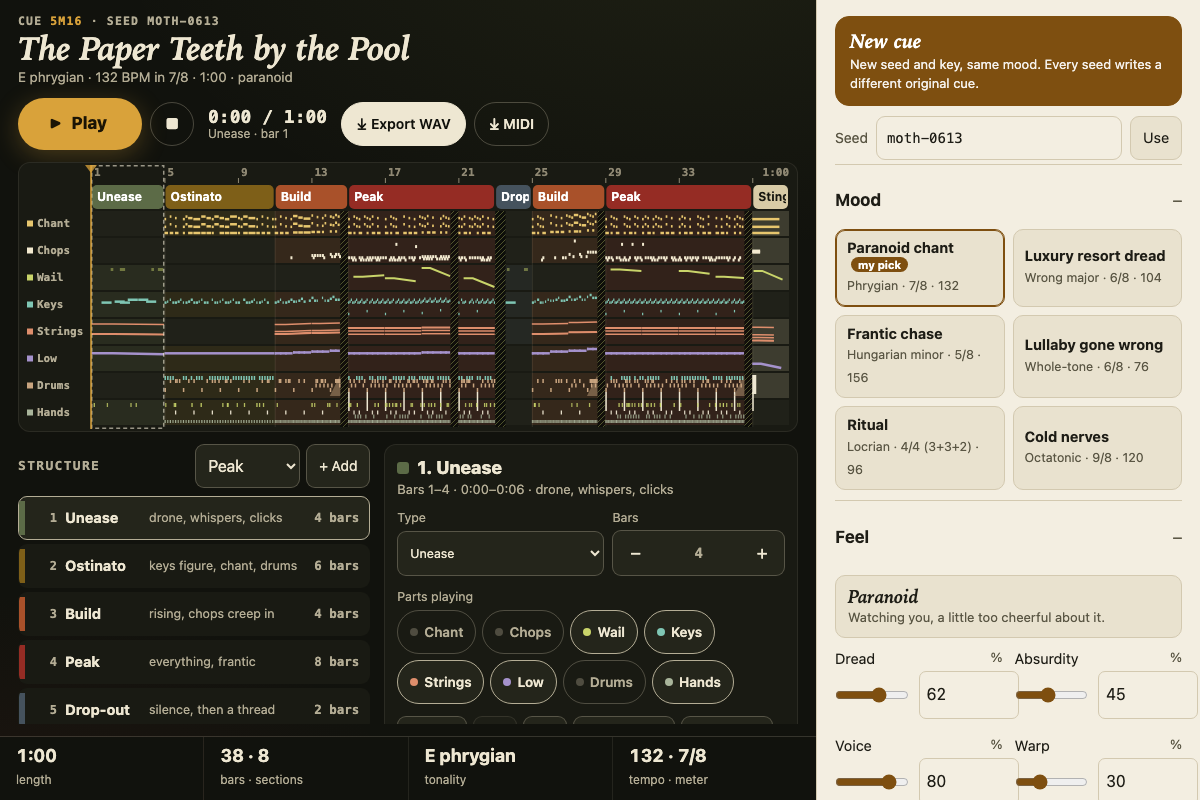
Screenshot of the tool as it opens; it is a real capture, not a mockup.
Thanks, your report was sent.
Report a problem or a newer version
What it makes
An original score cue, 30 seconds to 4 minutes long, generated from a seed and built in sections: Unease, Ostinato, Build, Peak, Drop-out and a final Sting. The parts are a chanting choir and percussive vocal chops made by pushing a buzzing source through vowel formant filters, pitch-bent wails and breathy whispers, an ostinato on inharmonic prepared-piano, detuned-pluck or music-box keys, slow dissonant string clusters with glissandi, a low drone, frame drums, toms and a tuned log drum, and claps, tongue clicks, shaker and body slaps. Meters run from 4/4 with 3+3+2 accents to 5/8, 7/8 and 9/8, in Phrygian, Locrian, Hungarian minor, whole-tone, octatonic or a major scale whose notes slip. Deliberate silences and tape stops cut through the cue. Export a 44.1 kHz 16-bit stereo WAV, a format 1 MIDI file with one track per part plus tempo, time signature and section markers, or the settings as JSON.
How to use it
- Pick a mood preset, then press New cue until one gets under your skin, or type any word into Seed. The same seed and settings always make the same cue.
- Move Dread and Absurdity to set the feel: dread is low, slow and clustered; absurdity bounces, slips a semitone and grins. Voice, Warp and Density control the vocals, the tape wobble and how full the grid gets.
- Choose the key, tonality, meter, tempo and target length, and the sound of the keys.
- Click a section in the timeline or the structure list to change its type, length and which parts play, or press Vary to re-roll just that section. Hatched blocks in the timeline are deliberate silences.
- Press Play (or the space bar), balance, mute or solo parts in the mixer, then export a WAV to drop under picture or MIDI to orchestrate in a DAW.
Build notes
- All sound is synthesized with the Web Audio API: oscillators, noise, formant filters, a convolution reverb with a generated impulse, a modulated tape delay and a compressor. There are no samples, and nothing is fetched or sent.
- Motifs, chants and rhythms are generated from the seed with odd meters and off-kilter scales, so each seed gives a new original cue rather than a copy of an existing score.
- The default one-minute cue renders to WAV in a few seconds; a four-minute cue takes proportionally longer.
- MIDI tracks use General MIDI programs as placeholders; drums and hand percussion are on channel 10. Pitch glides, vowel shapes and tape warp are audio-only.