Tools worth reusing.
Small web apps that make real things: files for a laser cutter, recipes and schedules, sizing reports and checklists. Each one is a single file. Open it here, or download it and keep it.
What you can do with them
Each tool does one real job, from the numbers you give it, and hands you a file.
-
Files for a laser cutter
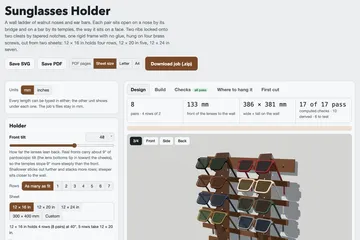
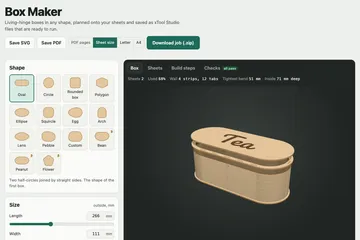
Cut, score and engrave layers, drawn at real size and coloured the way laser software expects: planters, puzzles, signs.
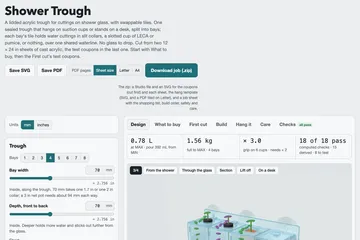
For example: Shower Trough
See all 10 for files for a laser cutter -
Parts for a 3D printer
Printable parts sized from your measurements, exported as STL with their geometry checked: feet, fittings, mounts.
For example: Bolt-through appliance foot maker
See all 5 for parts for a 3d printer -
Plans you can follow
Worked-out recipes, schedules, sizing summaries and checklists, saved as plain text you can print or keep.
For example: Pepperoni roll planner
See all 10 for plans you can follow -
Music and sound
Songs and score cues made from a few choices, exported as WAV to play and MIDI to rework in any music software.
For example: Cue sketcher — unsettling score cues
See all 2 for music and sound
Why you can rely on one
Not a marketplace. Nothing you make in a tool is uploaded anywhere, and nothing inside a tool phones home.
-
Works with no connection
The zip you download is the same file the site runs, without the site's links bar. Open it offline and it behaves the same, with nothing to install.
-
Makes no network requests
Before a tool is listed it is opened in a browser under a policy that blocks every request, and a request as it loads fails it. On this site it always runs under that policy, so it cannot send anything.
-
Old versions stay downloadable
When a tool changes, the version you started a build with stays on its page, byte for byte.
-
Open license
MIT or CC-BY-4.0, shown on each tool's page and inside its zip. Keep it, change it, share it.
-
No AI needed
A tool is listed only if it works with no AI call. Many were built with one; none need one to run.
From a chat to the shelf
If you built a tool that makes something real, it can live here.
-
Build it in a chat
Make a tool in a Claude chat that produces something real: a cut file, a plan, a schedule.
-
Package it
Paste the prompt from the submit page into that chat. It turns the tool into one self-contained file with a manifest and a license.
-
Send it in
I run the same checks every tool here passed, then publish it under your name and license.