Laser sign maker
Lay out an engraved wood sign and export a layered SVG in real inches
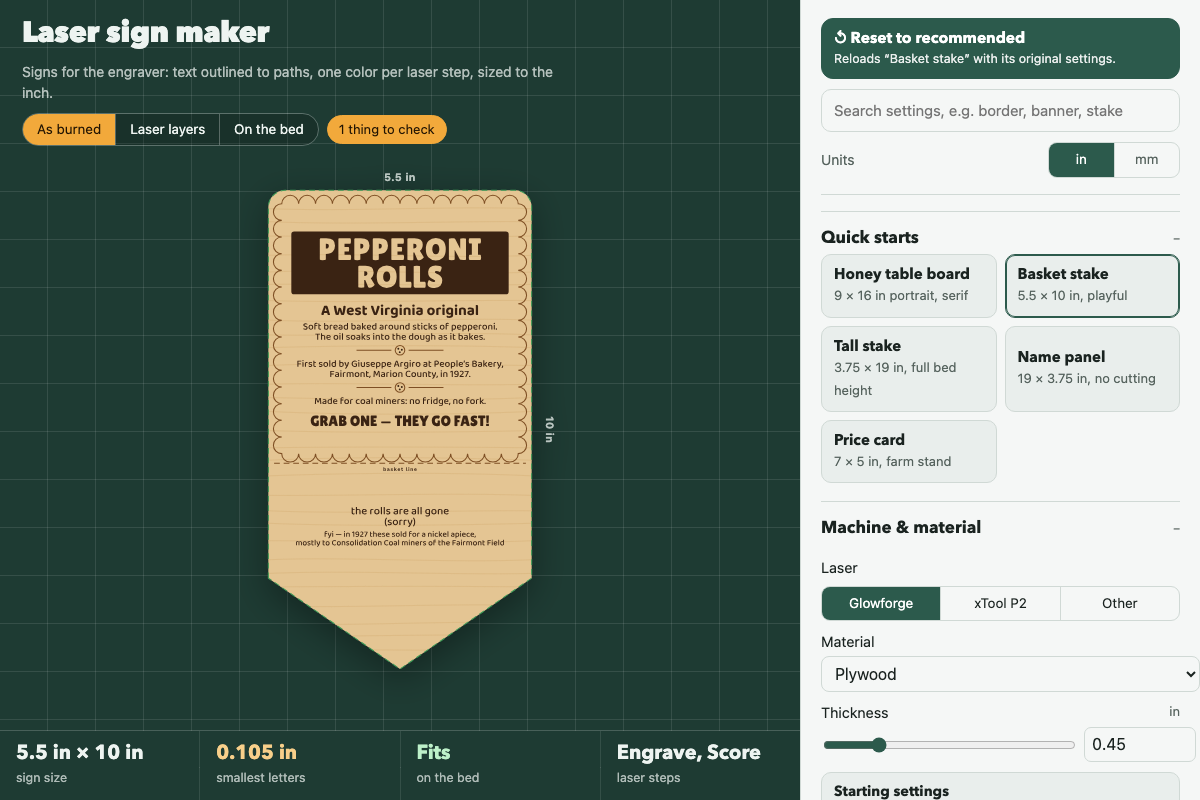
Screenshot of the tool as it opens; it is a real capture, not a mockup.
Thanks, your report was sent.
Report a problem or a newer version
What it makes
An engrave-ready SVG of a wood sign, drawn in real inches: every line of text already outlined to shapes, a border, an optional cut outline (rectangle, rounded, or a pointed garden stake with a basket line), and one stroke or fill color per laser step (engrave, score, cut, and a green reference layer you can turn off). A settings file saves the layout so you can reopen and edit it.
How to use it
- Start from a quick start (Honey table board, Basket stake, Tall stake, Name panel, Price card) or set the board size and shape yourself.
- Pick your laser and material; the bed size, layer colors and starting power settings follow the machine.
- Edit the content blocks: text, banners, dividers, labels and spacers stack top to bottom and center on the sign. Tap a block on the preview to jump to it.
- Switch the preview between As burned, Laser layers and On the bed, and read the Checks list for letters that are too small, a board that misses the bed, or a cut the machine can't make.
- Save the SVG and load it into your laser software; each color is a separate step. Save settings to come back to the layout later.
Build notes
- Fonts are embedded in the file (all SIL Open Font License) and text is converted to paths in the browser with opentype.js (MIT); their notices are in LICENSE.
- Laser power and speed numbers are starting points; run a scrap test on your material.
- Works fully offline once opened; nothing is fetched.