Logo puzzle maker
Turn a logo SVG into a laser cut jigsaw with a tray and frame
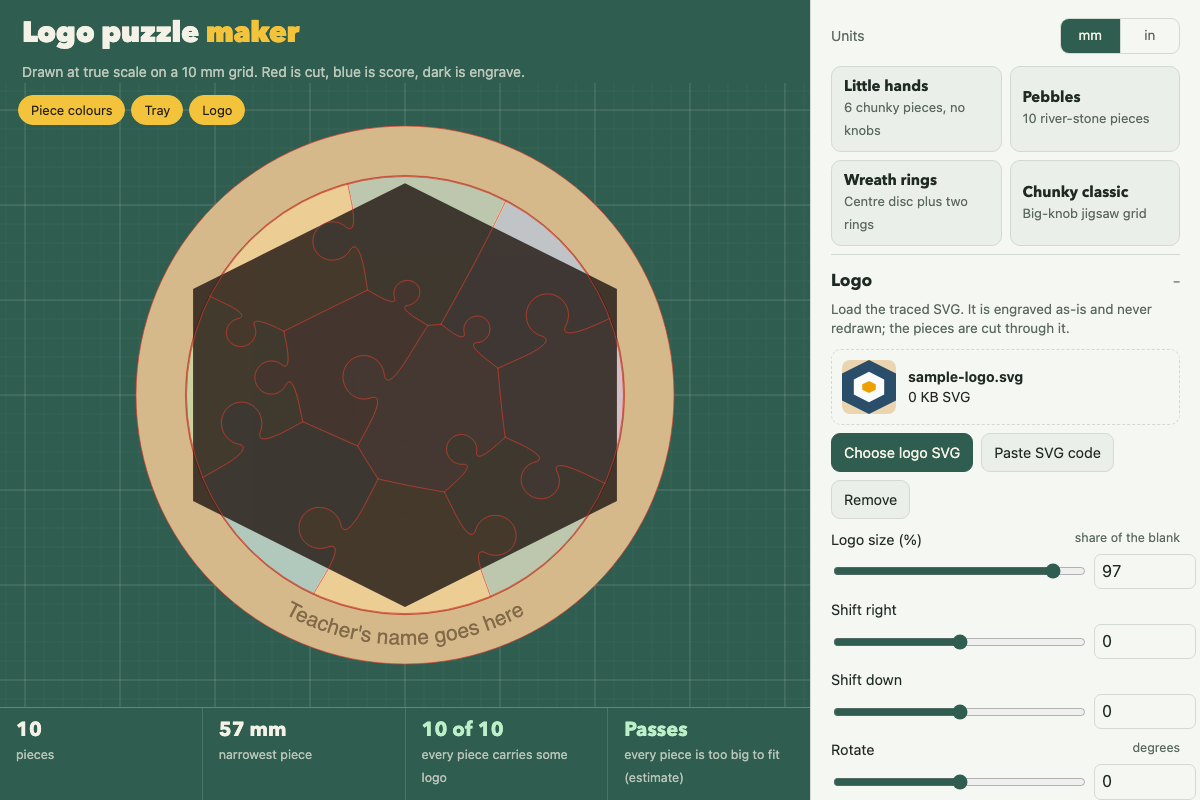
Screenshot of the tool as it opens; it is a real capture, not a mockup.
What it makes
Laser cut files (SVG, mm) for a jigsaw puzzle built around a logo, plus an optional tray and frame. The logo is engraved; the pieces are cut.
How to use it
- Choose a logo SVG.
examples/sample-logo.svgis a small one to try first. - Pick a preset: Little hands (six chunky pieces, no knobs), Pebbles, Wreath rings, or Chunky classic.
- Adjust piece style, knobs and wobble. The under-3 check flags pieces small enough to be a choking hazard.
- Turn on a tray or frame if you want one.
- Export. Each part comes as its own SVG, or export all parts on one bed. Red is cut, blue is score, black is engrave.
- Save your settings as JSON to come back to them later.
Build notes
- The bed size defaults to the xTool P2 (600 × 305 mm). Other machines: export single parts and arrange them yourself.
- Logos with text should be converted to outlines before upload; the tool traces path geometry.
- Cut a coupon of your material first to dial in kerf; loose puzzles come from wide kerf.