Stencil maker (auto-bridged)
Turn text, an SVG or a picture into a cut-ready stencil with automatic bridges
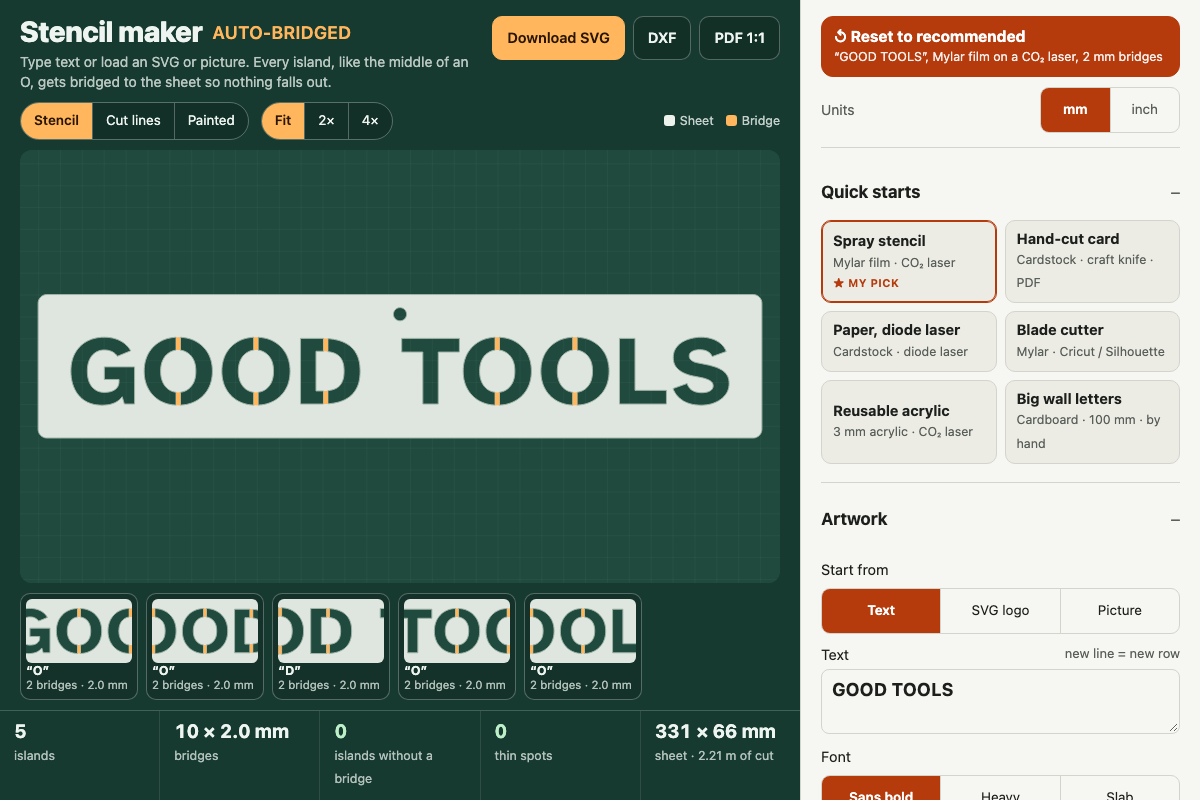
Screenshot of the tool as it opens; it is a real capture, not a mockup.
Thanks, your report was sent.
Report a problem or a newer version
What it makes
A single-layer stencil in real millimetres: your text, logo or traced picture as openings in a sheet with a margin, rounded corners, an optional hanging hole and optional registration crosses. Every island of sheet inside an opening is tied back to the sheet with bridges of the width you choose, placed across the shortest crossing or strictly vertical or horizontal. An optional second layer paints a drop shadow in another colour. You get an SVG and a DXF with one red cut layer, inside shapes before the outline, and a 1:1 PDF that shows what to cut out, tiled across Letter or A4 pages when the sheet is big.
How to use it
- Pick a quick start for your material and cutter (Spray stencil on Mylar with a CO2 laser is the recommended default).
- Type your text and choose a font and letter height, or switch to SVG logo or Picture and load a file (a sample loads for each).
- Set the bridge width, how many bridges each island gets, and their direction; the island cards under the preview zoom to each one.
- Check the stats bar and the Checks list: islands without a bridge must be 0, and pink or blue marks show spots too thin to cut.
- Choose the sheet size, margin, hanging hole and, for two colours, the shadow layer with registration crosses.
- Download the SVG or DXF for the laser, or print the PDF at 100% and cut it by hand with a craft knife.
Build notes
- Bridges are found by scanning straight strips across each opening; an island that no strip of the chosen width can reach is shown in red and counted, never silently dropped.
- The thin-spot check rasterises the finished sheet and opens it with a disc the size of the minimum feature plus the kerf; results are accurate to about a sixth of that width.
- Material minimums and kerfs are typical starting values; do a test cut and adjust them for your film, card and machine.
- SVG import reads filled paths, polygons, circles, ellipses and rects with transforms; text elements and stroke-only shapes need converting to paths first.
- Works fully offline once opened; nothing is fetched.